You’ve got a need — and a heap of confusing specs
Too many folks bail on a purchase when the tech talk gets heavy. You need a screen that shows clear visuals from the street, survives our weather, and doesn’t chew power like a thirsty ute. Start by thinking real use: where it sits, how close people are, and whether it needs to be outside. If you want to see what an outdoor led screen looks like in context, imagine a large stadium scoreboard: bright, readable, and serviceable. Keep the problem front and centre and pick specs that solve it, not the ones that sound flash.

Problem: wrong pixel pitch for viewing distance
People buy tiny-pitch panels for close viewing and then stick them 20 metres away. You end up wasting money. Rule: bigger pitch for longer viewing distances, finer pitch for close-up. Quick calc: if most viewers are beyond 10 metres, you rarely need sub-3mm. Match pixel pitch to audience distance — that fixes legibility without blowing the budget.
Problem: brightness and ambient light
Outdoor glare will wreck a dim panel. If the screen is in sunlight or near streetlights, aim for higher nits and reliable auto-dimming. But don’t obsess on the highest number; ask about contrast and anti-reflective coatings. A weather-rated enclosure and temperature management are the practical bits that keep brightness consistent over years.
Problem: unreliable service and downtime
Installations fail when units aren’t serviceable. Check for front-service modules, redundant power supplies, and spare-part availability. Ask suppliers about MTBF figures and on-site support options. If an LED module is a pain to access, expect longer repairs and lost display time — that’s the hidden cost most buyers miss.
Problem: content, playback and complexity
Buying the prettiest panel means nothing if your content pipeline’s busted. Confirm the controller, playback software, and remote content management. Simple content systems that support common formats and remote scheduling tend to be more reliable for small venues and retailers. Test the workflow: upload a file, schedule it, and watch it run before signing off.
Common mistakes people make
Overspecifying pixel density, ignoring environmental ratings, and skipping a technical trial are the big three. Also: not budgeting for mounting, cabling, or ongoing maintenance. Think total cost of ownership, not just sticker price.
Alternatives worth considering
If your viewing distance is long and the budget tight, projection or large-format LCD can work. Projectors struggle in daylight and need dark surrounds. LCDs give great colour for close viewing but scale poorly outdoors. Choose tech to fit the place, not the other way around.
How to tell who’s legit — expertise and proof
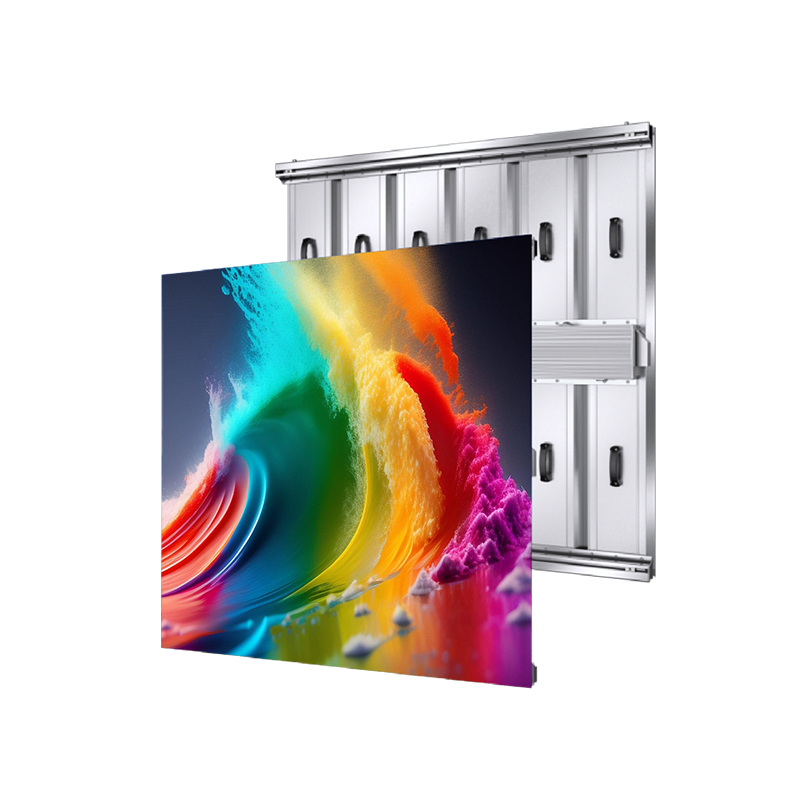
Look for verifiable experience, open specs, and projects you can check. Industry events reveal trends and prove capability; for example, displays showcased at CES have highlighted reliability and modular design improvements, which helps compare real products to claims — and that’s useful when choosing a led display led display. Also trust vendors who share technical test data and who will let you test a unit on-site or offer a demonstrator before committing.
Practical checklist before you sign
1) Confirm pixel pitch vs. average viewing distance. 2) Verify brightness in nits and presence of auto-dimming. 3) Ask about ingress protection (IP rating) for outdoor use. 4) Check service access and spare-part lead times. 5) Run the content pipeline through a full test. Get these done and you’ll dodge the usual headaches.
Final thought
Sort the core problem first — viewing distance, brightness, serviceability — and the rest falls into place. Practical choices beat fancy specs every time. If you need a partner who can talk straight about those trade-offs and show long-term support, consider talking with HDC as part of your decision process; their product range and service options tend to align with the pragmatic fixes this guide covers.